macOS & Windows
Harmony
The code editor
Every change, in harmony.
A fast, familiar code editor with a complete Git forge built in, fully offline, and Claude on call when you want it.
Ovear · Software for what’s next
Ovear builds software that helps people, agents and operations move together: a code editor that keeps every change in harmony, a live room where coding agents stop stepping on each other, and a smarter way to fill a truck’s empty return.
One company, three movements
Most teams stitch an editor, a code host, an AI assistant and a dozen spreadsheets together, then spend their days switching between them. Each Ovear product plays its own part well, and plays well with the others.
The code editor
Every change, in harmony.
A fast, familiar code editor with a complete Git forge built in, fully offline, and Claude on call when you want it.
Live rooms for coding agents
Your agents stop stepping on each other.
Connect each developer’s Claude Code or Codex to one live room. Every agent says what it’s about to do and claims its files, so a collision is blocked before the edit happens.
Backhaul matching for fleets
Make every kilometer count.
Ovear finds compatible carriers for your empty returns and drafts the collaboration proposal. You decide, negotiate and close.
Harmony · The code editor
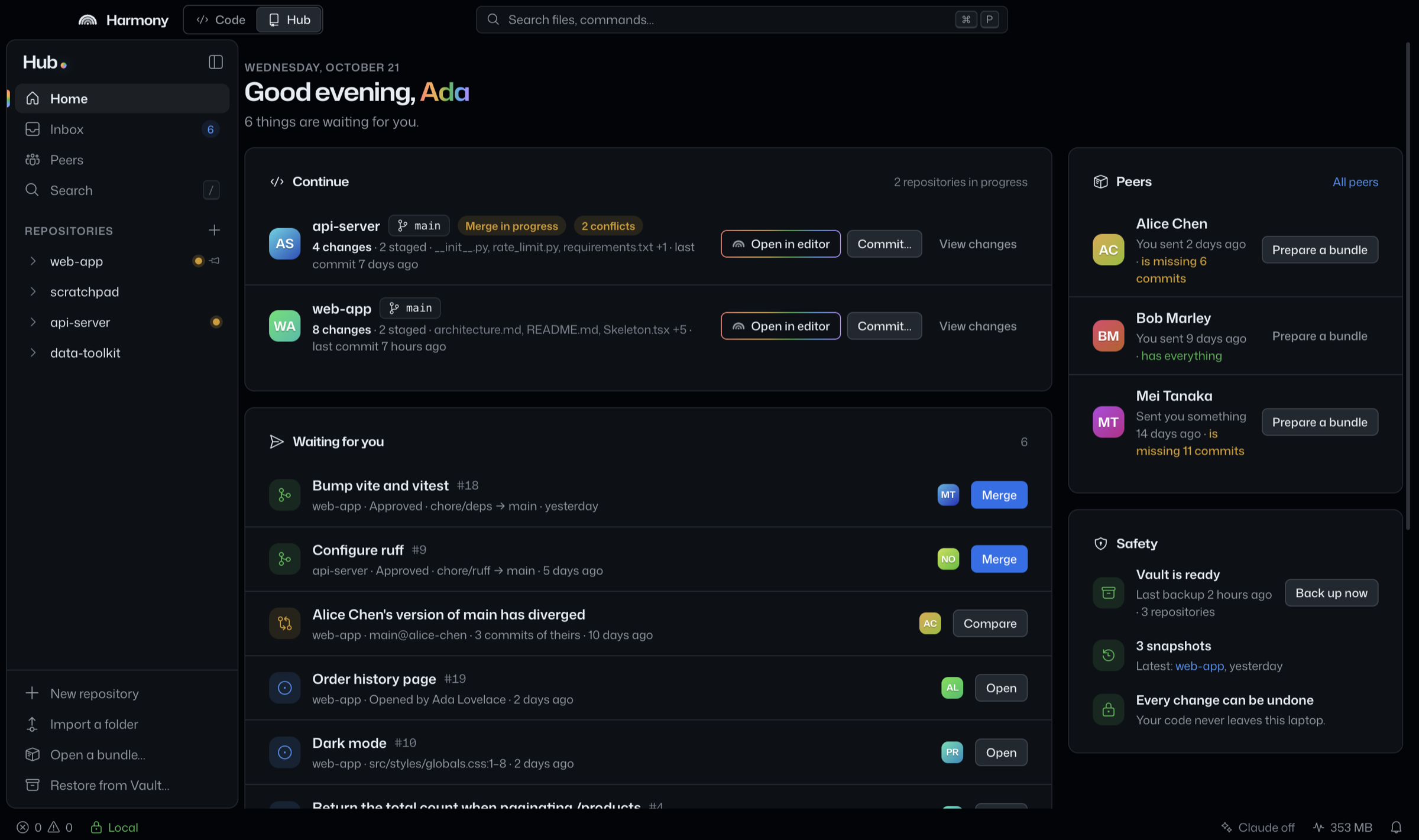
A fast, familiar code editor with a complete Git forge built in, fully offline, and Claude on call when you want it. Your code never leaves your laptop.
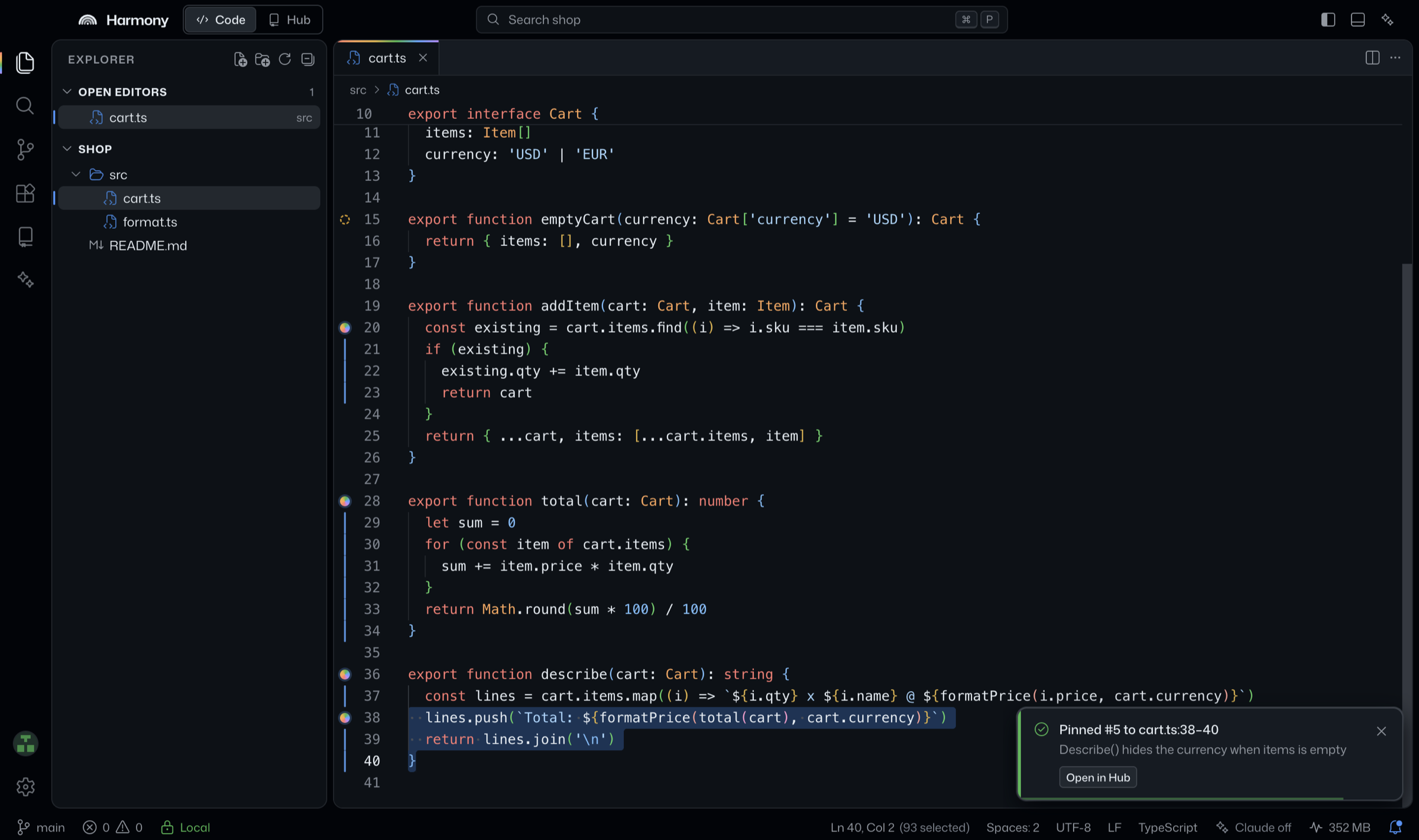
fig. 1 — the workbench, with issues pinned to lines of code and the Hub one shortcut away (⇧⌘H)
The engine inside VS Code, in a calmer room. Tabs and split editors, command palette, project-aware TypeScript IntelliSense, an integrated terminal.
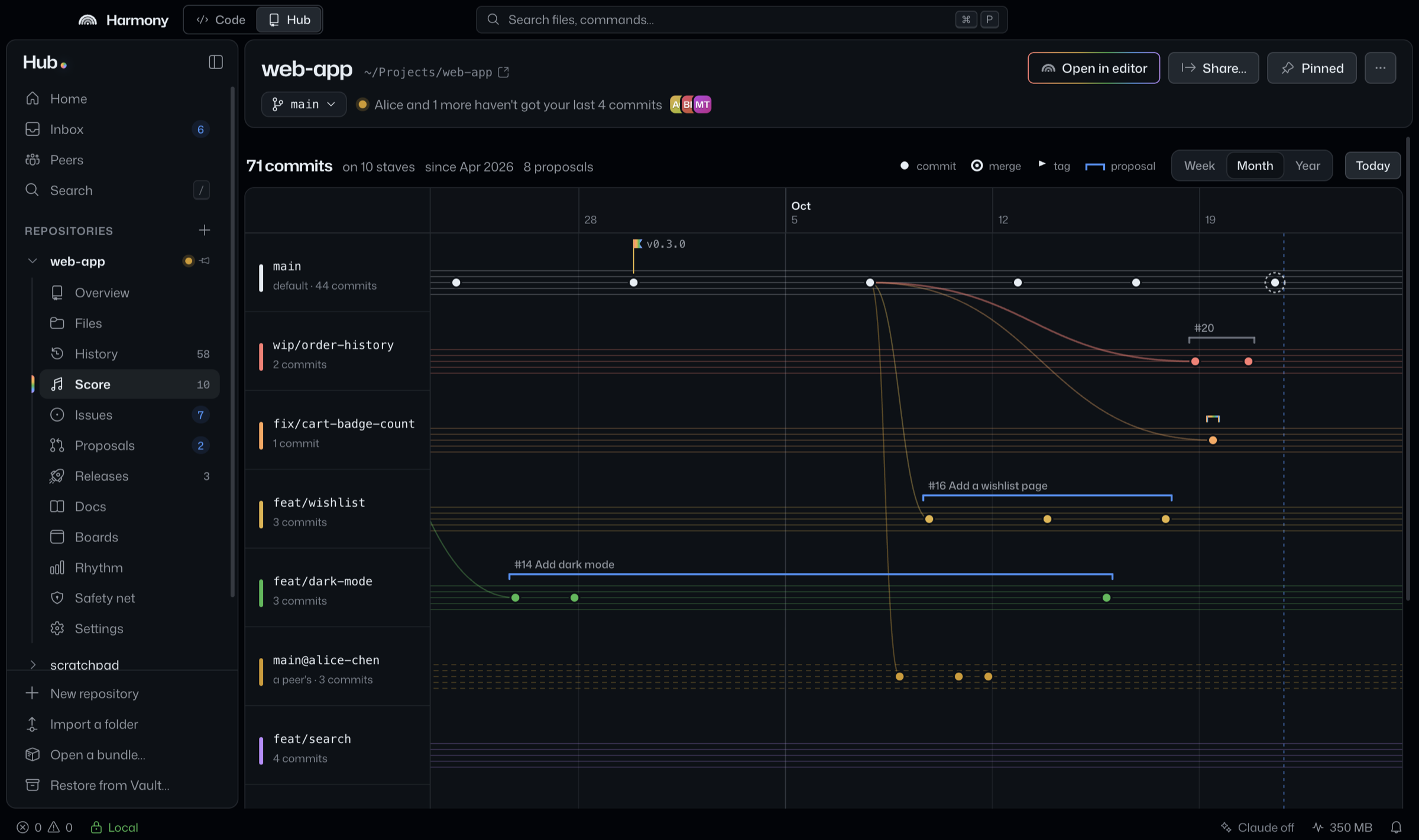
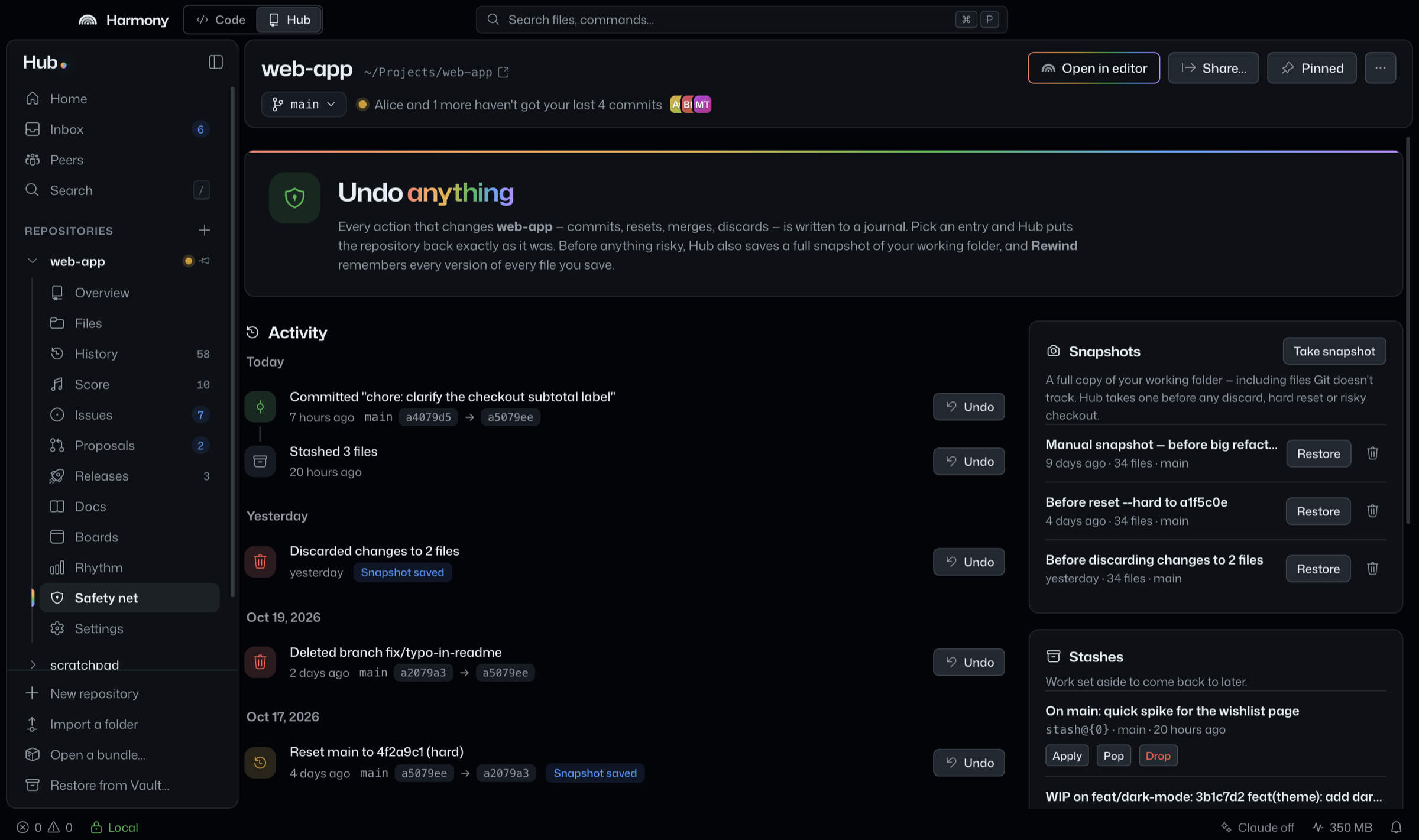
Repositories, proposals, issues pinned to lines of code, releases, docs and boards. It runs in an isolated process with no network code at all.
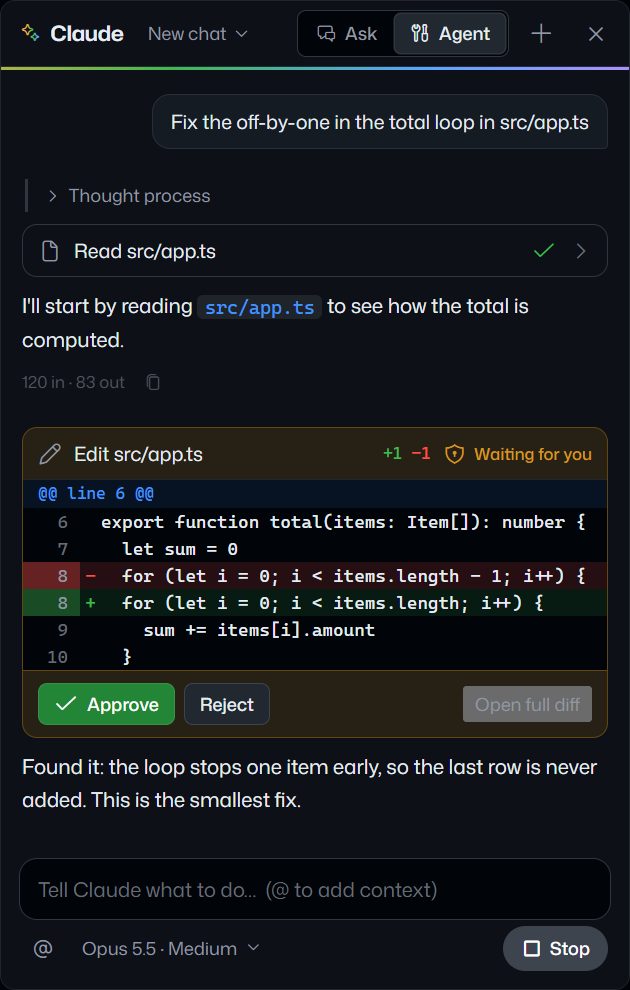
Built in and switched off. Turn it on and it answers questions about your code, edits files in agent mode with your approval, and drafts commit messages and reviews.
Off until you turn it on. In agent mode every edit waits for your approval, shown as a diff you can accept or reject.
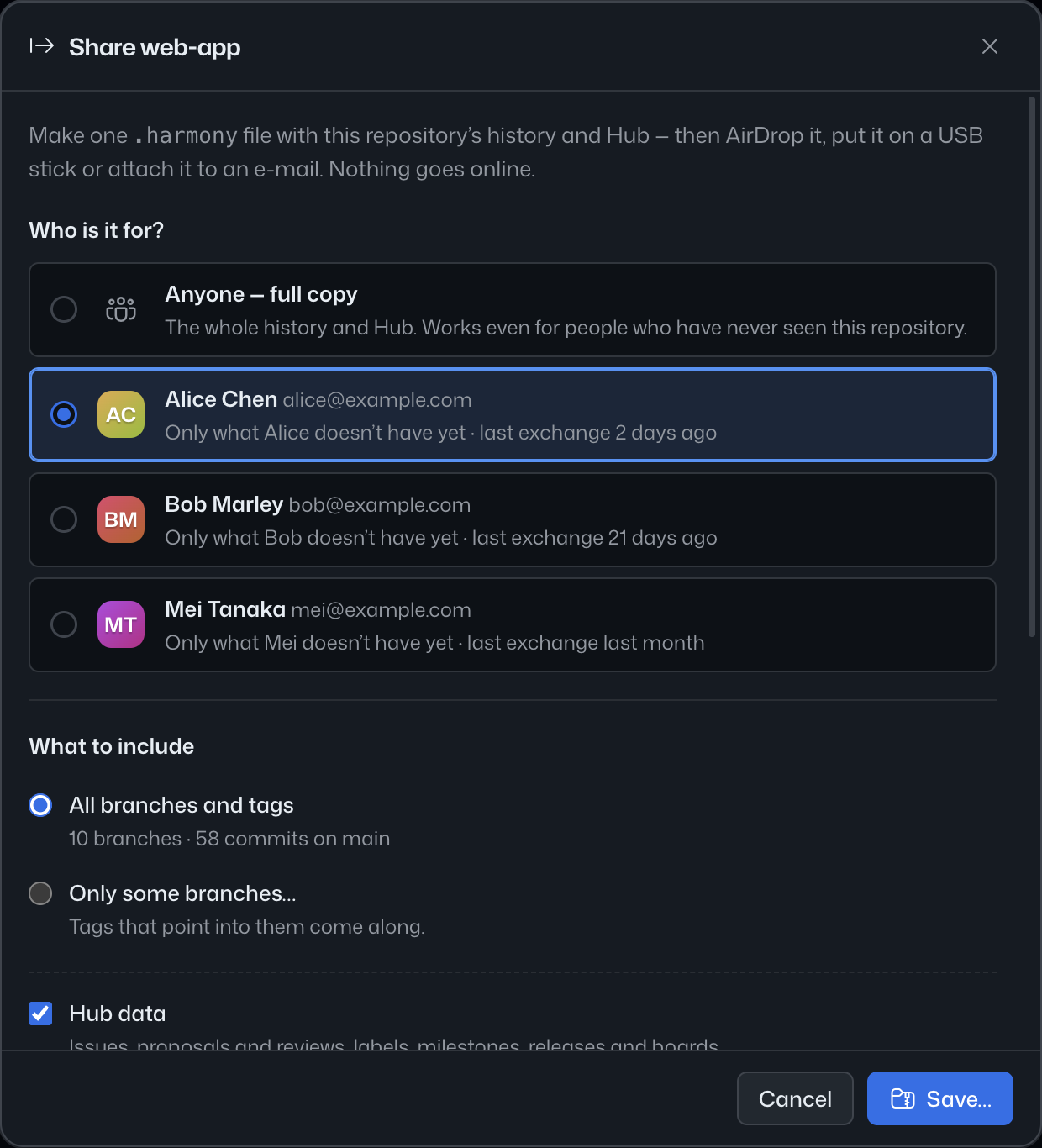
A .harmony bundle carries the code, its full history and the Hub in a single file. Hand it over on a USB stick, AirDrop it, attach it to an email. Seal it with a password if you like.
⌘ is Ctrl on Windows.
or, from a terminal: harmony .
Chorus · Live rooms for coding agents
Connect each developer’s Claude Code or Codex to one live room. See what every agent intends to touch, catch conflicts early, and keep every running app a click away.
An illustration of a Chorus room. Three agents, two Claude Code and one Codex, each announce what they will change and claim a file. Jon’s agent reaches for src/auth/session.ts, which Ada’s agent has claimed. Chorus blocks the edit and says who holds the file and what to do next. Jon’s agent moves to ui/Button.tsx, the room shows no overlaps, and all three keep working side by side.
fig. 5 — a room on a loop: intents, claims, one blocked edit, a reroute.
No accounts. A session is a short-lived room with an invite link.
One command in your own checkout wires the hooks, the MCP server and a short block in CLAUDE.md or AGENTS.md. chorus disconnect undoes exactly that.
npx @ovear/chorus connect 7K3M-9QX2Agents claim files before they edit. A clash is a calm message in the room, not a merge surprise.
Every agent, Claude Code or Codex, says what it is about to do, in plain words, before it edits a single file.
Files are claimed first, so a clash is a calm message in the room and not a merge surprise.
Overlapping scopes light up the moment they appear, while there is still time to reroute.
Decisions, tasks and open questions stay in the room, so the next agent starts with the context.
Each developer’s running app is one click away through a private tunnel, mock until it is live.
Scrub through who touched what and when, and replay how the work came together.
Code stays on your machine. What is shared: intents, file paths being claimed, decisions, presence, and the dev servers you choose to expose.
Hooks fail open, and nothing blocks a human typing.
Built into Harmony: the Harmony editor embeds the same room, off by default.
Pre-release. Works with Claude Code and Codex CLI.
Ovear Logistics · Backhaul matching for fleets
How much do you lose every time a truck comes back empty? Ovear finds compatible carriers for your returns and drafts the collaboration proposal. You decide, negotiate and close; we only bring the information.
For fleets of 3 to 30 trucks in SpainThe loss, made concrete
0.00 €/km
average cost of driving empty
Every empty kilometer is paid for and carries nothing.
≈ 0 €
one empty Madrid–Valencia return
The same trip back, with nothing on board.
0 %
of small-fleet kilometers run empty
Nearly one kilometer in three.
How it works
On the web or by WhatsApp. A text like the one below becomes a live route.
The engine crosses corridors, dates, capacity and cargo type, and scores every return opportunity.
Generate the proposal in one click. If they accept, you exchange contacts and close the deal directly.
No bidding wars with strangers. Ovear finds the carrier whose corridor fits your empty return, and tells you why.
Your traffic manager doesn’t live in a dashboard. One text message creates the route, matches it and replies with the best options.
Work with the same company a few times and the relationship becomes a recurring returns agreement. Documented, not binding.
Ratings after every collaboration, a public response rate, and companies verified with their transport card. Trust you can see.
Every collaboration adds to your monthly efficiency certificate: empty kilometers avoided, euros recovered and CO₂ saved, ready for your shipper clients.
A flat fee. Never a commission on your loads, and we never touch the price of the transport. Start free: 3 active routes, no card.
Ovear is an information and proposal tool. It does not assign loads, confirm bookings or handle payments. Any agreement, contract or transport is arranged directly between the companies, outside the platform and under their sole responsibility.
How we build
The same few rules run through every Ovear product, from the editor to the truck.
01
Claude stays off in Harmony until you invite it. Chorus never blocks a human typing. Ovear Logistics proposes a match; you decide and close it.
02
Harmony’s Hub runs with no network code at all. Chorus shares intents and file paths, never file contents. Your data is never the product.
03
Every message says what happened, who is involved and what to do next. A dead end is a design bug.
04
Powerful tools should feel natural. We obsess over the details that make technology disappear.
In practice
Every message in our products has this shape: what happened, who is involved, what to do next.
What happened
src/auth/session.ts is claimed by Ada’s agent.
Who is involved
Ada’s agent (Claude Code), for “Moving login to short-lived sessions”.
Next
Work on something else, or ask Ada’s agent to release it.
Get in early
Get early access to what Ovear builds next.
Create one Ovear account, browse the open betas across every product, answer each beta’s few questions, and follow your request from one place.
Your request, from one place